
File-Based Apps in .NET 10: C# Without the Ceremony
Build a URL uptime checker in a single C# file with .NET 10 file-based apps. No project or solution needed, plus NuGet packages.
In our new age of generative AI with LLMs such as ChatGPT and Claude, one might assume that ML.NET is now obsolete. However, I’d argue that it’s still worth learning even though AI continues to advance including ML.NET itself. In fact, it has distinct advantages that none of the LLMs do. ML.NET didn’t die and is still under active development. However, it did grow into two different variations - the classic Microsoft.ML library to train and consume machine learning algorithms, and the Microsoft.ML.Tokenizers package that is plumbing for LLMs.
In this post, we will go over how you can do AI in .NET and where the state of ML.NET is today, where it still wins, where it doesn’t, and how you can choose what Microsoft AI solution is best for you.
Microsoft has invested a good bit in integrating your apps with AI, and in several ways. There are different ways you can call any model you need, to train your own models, and to run different models locally depending on your specific scenario.
Microsoft offers several ways in which we can call different types of AI models:
Microsoft.Extensions.AI - This is the base code layer. As collections in .NET have IEnumerable, AI providers have IChatClient that is available from Microsoft.Extensions.AI. It provides interfaces that help with calling AI models, as well as caching and telemetry.Microsoft.Extensions.AI to enable you to orchestrate multiple agents with conversation states.Training your own models is where ML.NET shines. Having your own data and using it to train your own models for your situation is what ML.NET is made for you to do within .NET. As with several of my posts on ML.NET it offers a lot more than just training models, as well, such as retrieving data, building feature pipelines, evaluating models, and hosting your models to make inference calls on it.
Honestly, not all problems that can be solved with AI need to use a sophisticated LLM. There are still plenty of business problems that classical machine learning is perfect for. Problems such as forecasting, recommendations, and classification are fairly common across businesses. The reason for this is that businesses still have their own data that can help solve these problems. Below are a couple of real-life scenarios businesses may have and can see where classical machine learning can fit in better than using an LLM.
Models can be made by a variety of different frameworks other than ML.NET. There have been a lot of models created from Python frameworks such as scikit-learn, PyTorch, and even have them hosted on Hugging Face. We’ve touched on ONNX before as to how to use ONNX exported models in ML.NET. There are two ways to do it. You can call the ONNX Runtime directly, which gives you the most control, but it’s up to you to turn your data into the tensors the model expects and to make sense of the tensors it returns. Or you can use ApplyOnnxModel to make the ONNX model one step in an ML.NET pipeline, so ML.NET handles loading your data and any transforms before and after it, such as normalizing values or mapping the output back to labels. If your data is already in the shape the model wants, call the runtime directly. If it needs preparing first, let the pipeline do that work for you.
You may be wondering if ML.NET is still getting updates, what’s going on with it? The main thing to keep in mind is that the ML.NET version updates happen at the same time as .NET itself is updated, which is usually in November of each year during .NET Conf. So for 2026, ML.NET version 6 is scheduled to be released. Take a look at the below table and you can get an idea of the release schedule for ML.NET and that work is still going into it.
| ML.NET Version | Release Date |
|---|---|
| 3.0 | November 2023 |
| 4.0 | November 2024 |
| 5.0 | November 2025 |
| 6.0 | November 2026 (tentative) |
Another thing to keep in mind is that the updates for ML.NET aren’t going to always be for the machine learning side itself. The changes are going into the Microsoft.ML.Tokenizers area. This is essentially a plumbing package to use for LLMs. For instance, in the preview of version 6 there are new features for tokenizer support for different GPT models.
ML.NET still shines when you need to train and/or make predictions on a machine learning model within the .NET ecosystem. Classical machine learning itself as a whole still offers a lot of advantages over calling an LLM:
Of course, like with everything, there are pros and cons and ML.NET has its disadvantages as well:
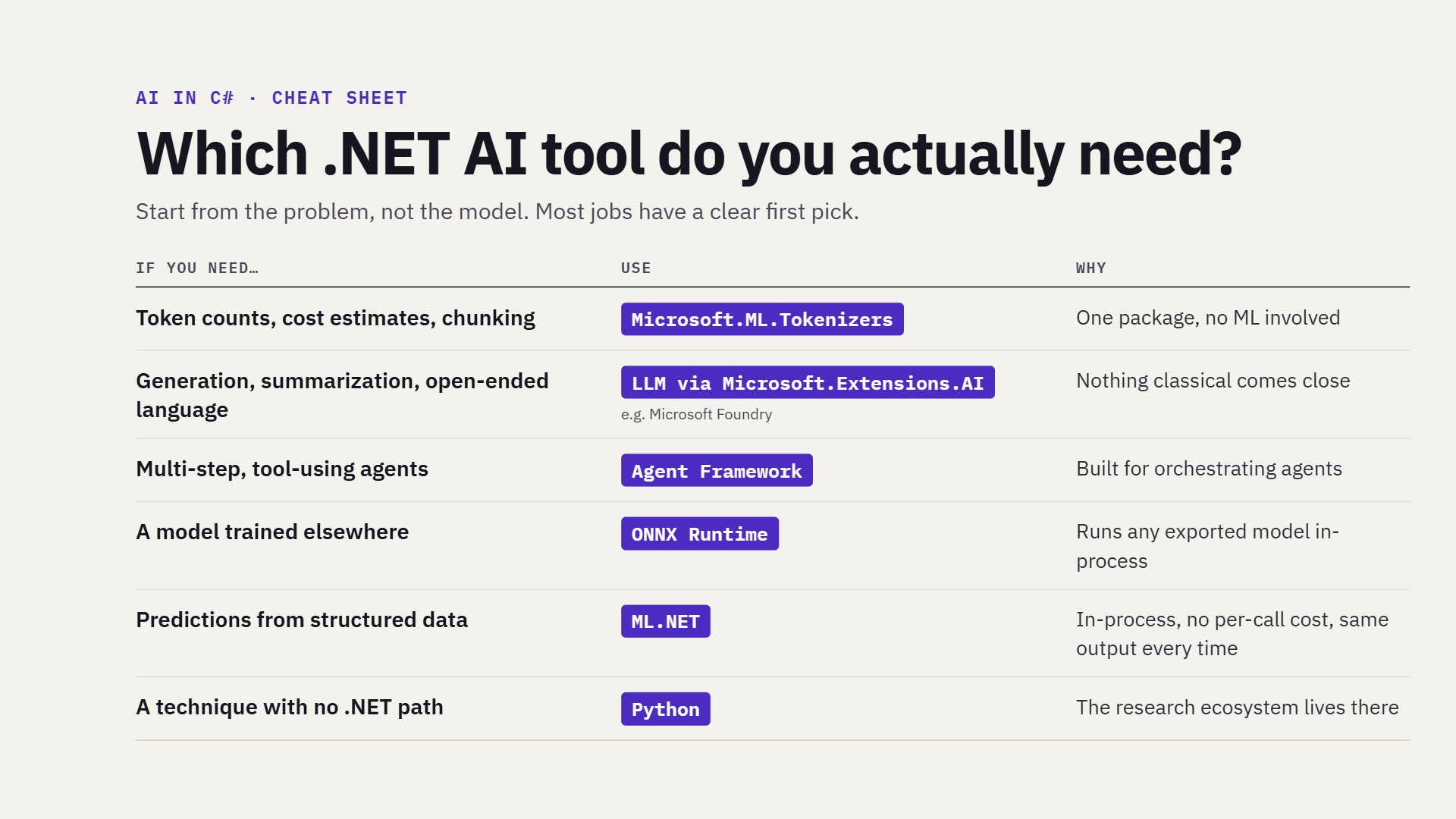
There is a Microsoft AI solution that can fit your needs, but it will depend on what you need it for. Feel free to use the below table to see which tool to use for your specific situation.
| If you need… | Use | Why |
|---|---|---|
| Token counts, cost estimates, chunking | Microsoft.ML.Tokenizers |
One package, no ML involved |
| Generation, summarization, open-ended language | An LLM via Microsoft.Extensions.AI (e.g. Microsoft Foundry) |
Nothing classical comes close |
| Multi-step, tool-using agents | Agent Framework (Microsoft.Agents.AI) |
Built for orchestrating agents |
| A model trained elsewhere | ONNX Runtime | Runs any exported model in-process |
| Predictions from structured data | ML.NET | In-process, no per-call cost, same output every time |
| A technique with no .NET path | Python | The research ecosystem lives there |
Here’s the table as a shareable image.
If you want a downloadable version of the cheat sheet, here’s a PDF.
This post went over different ways you can use AI in .NET, the state of ML.NET and how it has evolved, especially during this LLM era. It also highlighted how you can work with AI in the Microsoft ecosystem. Is ML.NET still worth learning? Depending on your scenario for AI use, it just might be what you need.
Build a URL uptime checker in a single C# file with .NET 10 file-based apps. No project or solution needed, plus NuGet packages.
Read and write Parquet files in C# with Parquet.NET, and see why Parquet beats CSV for large datasets. Includes a complete example.
What's new in the ML.NET CLI, including the new platform-specific install names and other updates.